
Sign in and add your first task
From the link you were sent to a task with a date, in about five minutes. Works in the demo too.
About 5 minutes · For everyone who uses the app · Last reviewed
What you need
- An invitation link from whoever runs your server, or the demo if you only want to look.
Steps
- Open the link you were sent, choose a name and a password of at least 10 characters, and you are in. On the demo, select Try the demo instead; you get a private sandbox that is deleted after two hours without activity. Open OpenTodo
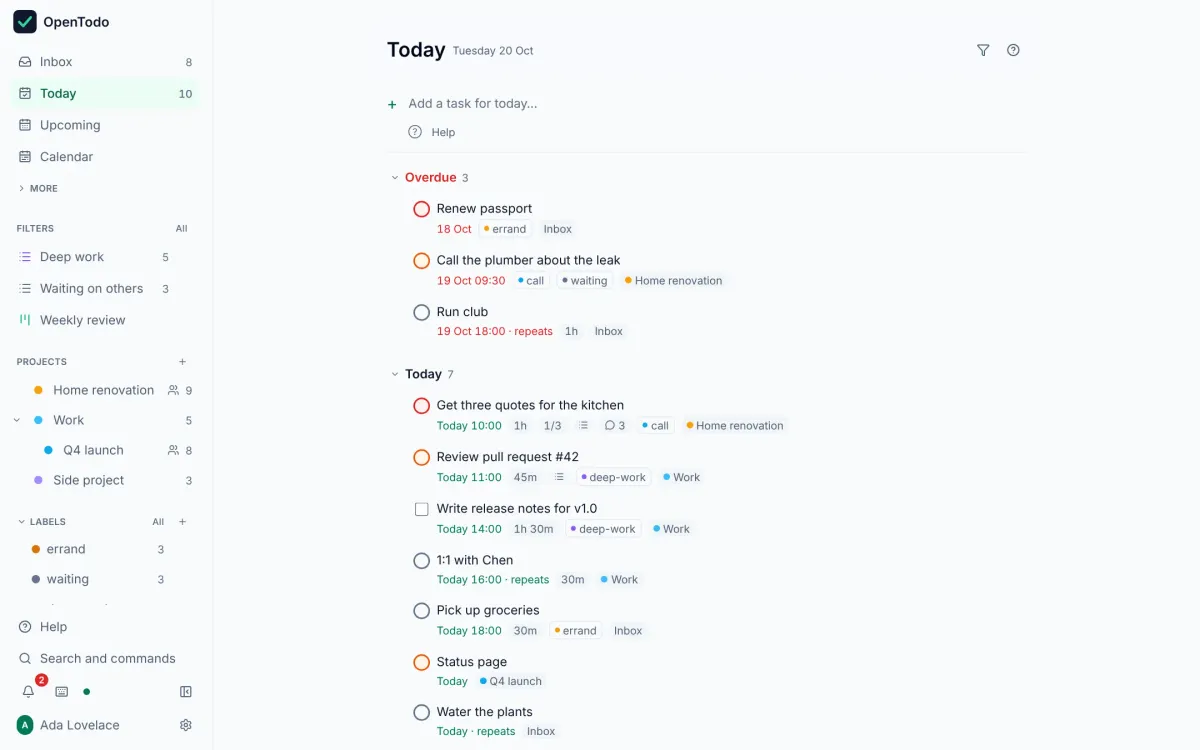
- Look at the sidebar on the left (behind the menu button on a phone): Inbox collects tasks that have no project yet, Today shows what is due today, Upcoming the days ahead, and your Projects below. Find your way around
- Press q, or click Add a task at the top of the list, type
Call the dentistand press Enter. The box stays open for the next one. Add your first task - Give the next one a date as you type it:
Buy a birthday card tomorrow at 9am. Chips under the box show what quick add understood; if a word was picked up by mistake, select the × on its chip. Give it a date - Click the circle next to a task to complete it, or select it with j and k and press c. It moves to Completed, where you can reopen it. Complete it
If it does not work
- The link says it has expired or was already used: ask the person who sent it for a new one; links work once and for a limited time. Invite with a link
- You see the sign-in form but have no account: sign-up is closed on OpenTodo servers by default. Ask the owner for an invitation. Invite someone new
Next: put it on your phone, then learn the one-line syntax for dates, projects and labels.