
Getting Things Done setup
Contexts, a waiting-for list and a someday list, ready for the GTD method in a few minutes.
- List
- For professionals
- Task management
- Prioritisation
About this template
Getting Things Done works with any tool that has an inbox, contexts and lists. In OpenTodo, contexts are labels and each list is a saved filter.
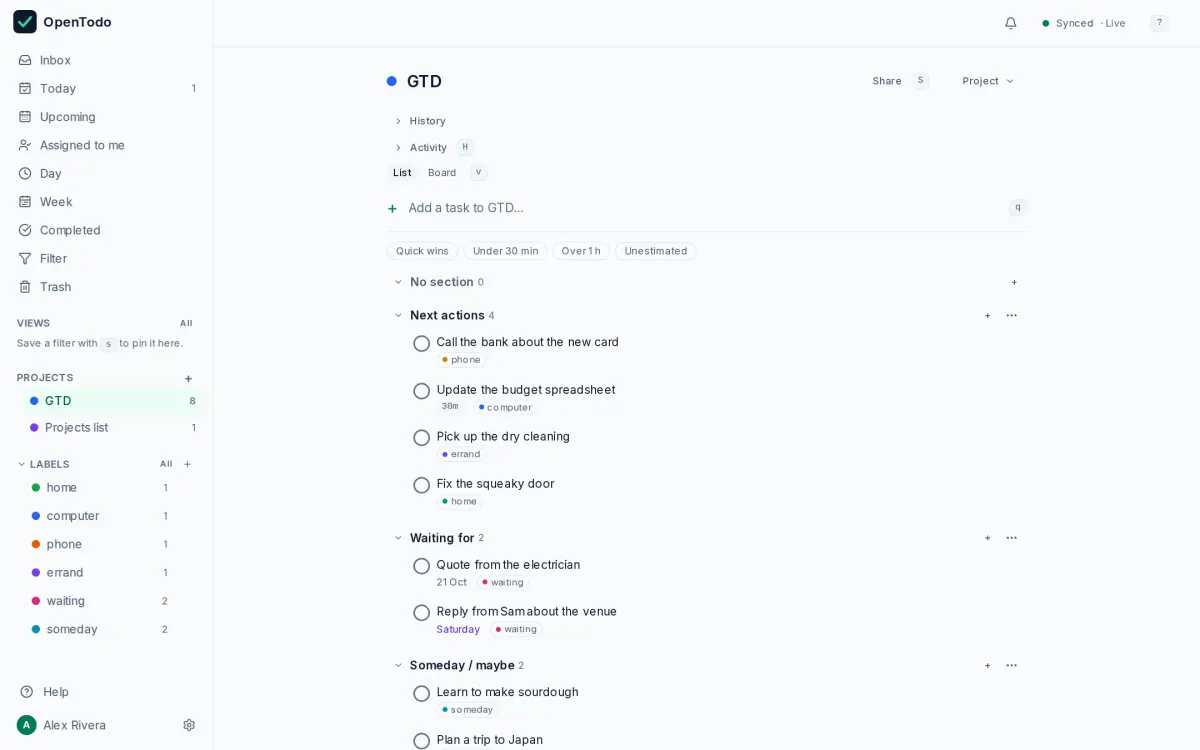
The template creates the labels @home, @computer, @phone, @errand, @waiting and @someday, a GTD project with sections for next actions, waiting-for and someday, and a weekly reminder to check every project for a next action.
Create views like @phone & !@waiting for the moments you have only your phone. Saved views can be pinned to the sidebar with live counts.
How to use it
- Import the file; it creates the labels, the GTD project and its sections.
- Save the views the guide suggests, such as `@phone & !@waiting`, and pin them to the sidebar.
- Every Friday, the review task asks you to check each project for a next action.
Make it yours
- Rename the contexts to the places you actually work: `@office`, `@workshop`, `@town`.
- Delete the sections you do not use; a smaller system is one you keep.
- Give the review task a time that fits your week.
Import it in three steps
- Download the template file.
- In OpenTodo, open Settings, then Data, then Import data.
- Choose the file, check the preview, and select Import.
What is inside
Every project, section and task the file creates, as the import will show them. Dates are relative to the day you import.
- GTDNext actions
- Call the bank about the new card
- Update the budget spreadsheet
- Pick up the dry cleaning
- Fix the squeaky door
Waiting for- Quote from the electrician
- Reply from Sam about the venue
Someday / maybe- Learn to make sourdough
- Plan a trip to Japan
- Projects list
- Review every project for a next action
Similar templates
First 90 days in a new job
A plan for your first three months, split into learn, contribute and lead.
- List
- For professionals
Weekly review
A thirty-minute Friday ritual that empties your inboxes, looks back at the week and plans the next one.
- List
- For everyone
Moving house
Everything from notice periods to the last box, in sections you can share with everyone who is moving.
- Board
- For households
Your to-do list, on your own server.
Try the demo in your browser. When you like it, install OpenTodo on your server and import your tasks.