
Trip planning
Bookings, documents and a packing list with subtasks, for a holiday or a work trip.
- List
- For everyone
- Task management
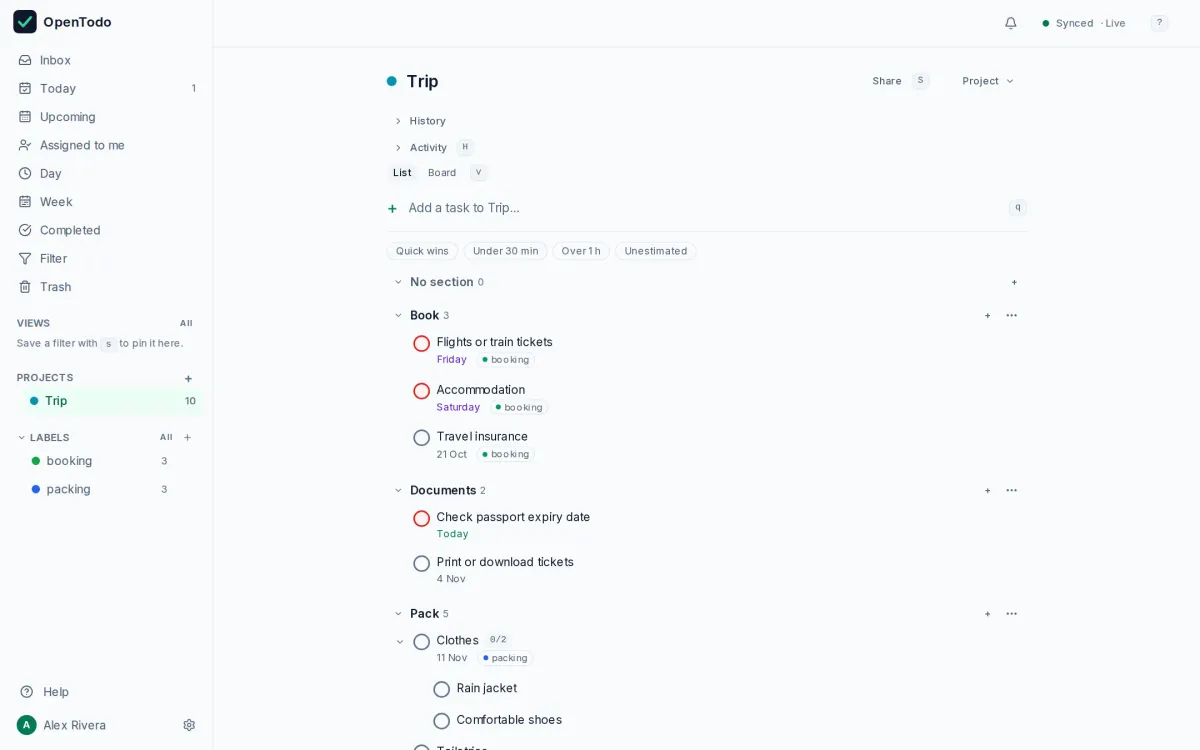
About this template
A trip has three phases: book, sort out the documents, pack. This template gives each a section and uses subtasks for the packing list, so you can tick items off on your phone while you pack.
Add a reminder to the passport task if your trip is far away; renewals take time.
How to use it
- Import the file; the three sections are book, documents and pack.
- Add a reminder to the passport task if the trip is far away.
- Tick the packing subtasks off on your phone while you pack.
Make it yours
- Copy the packing list into a "Standard packing" project and reuse it for every trip.
- Share the project with your travel companions and split the bookings.
- Add the dates: flights, check-in, the day the insurance must be sorted.
Import it in three steps
- Download the template file.
- In OpenTodo, open Settings, then Data, then Import data.
- Choose the file, check the preview, and select Import.
What is inside
Every project, section and task the file creates, as the import will show them. Dates are relative to the day you import.
- TripBook
- Flights or train tickets
- Accommodation
- Travel insurance
Documents- Check passport expiry date
- Print or download tickets
Pack- Clothes
- Rain jacket
- Comfortable shoes
- Toiletries
- Chargers and adapters
Similar templates
Study plan
Weekly study blocks, revision and exam dates for a course or certification.
- Calendar
- For students
Weekly review
A thirty-minute Friday ritual that empties your inboxes, looks back at the week and plans the next one.
- List
- For everyone
Getting Things Done setup
Contexts, a waiting-for list and a someday list, ready for the GTD method in a few minutes.
- List
- For professionals
Your to-do list, on your own server.
Try the demo in your browser. When you like it, install OpenTodo on your server and import your tasks.