
Study plan
Weekly study blocks, revision and exam dates for a course or certification.
- Calendar
- For students
- Time management
- Focus
About this template
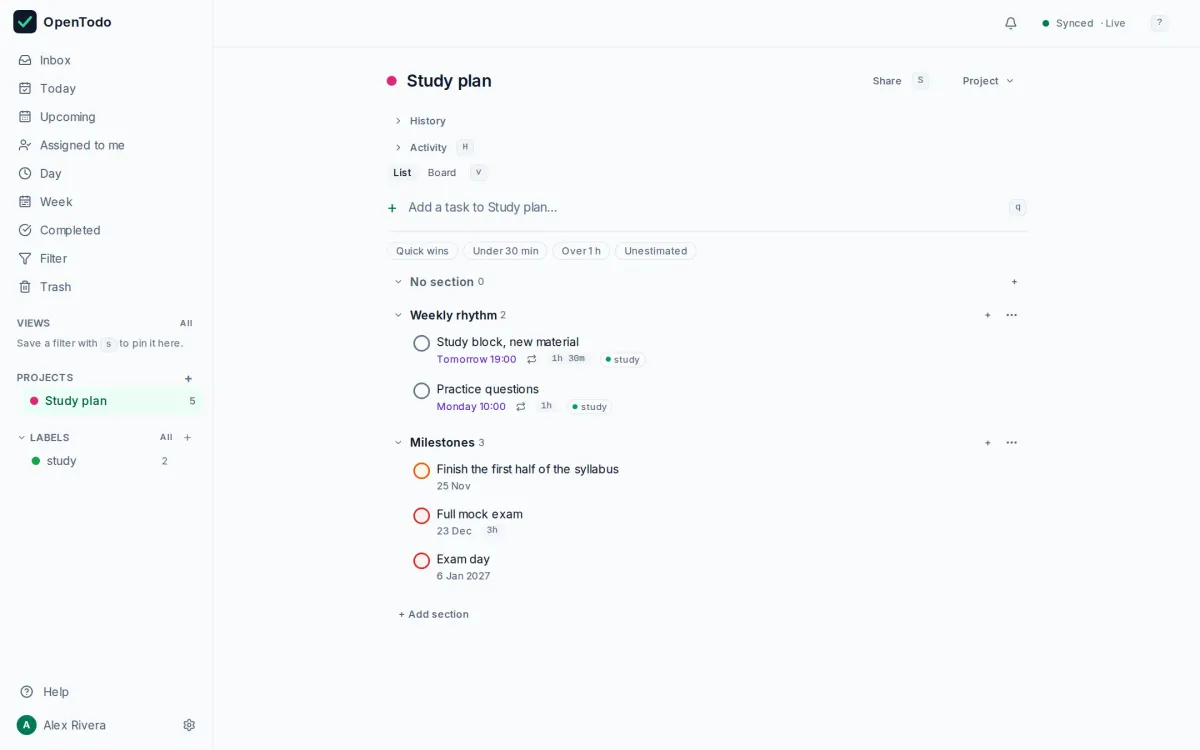
Studying works best as a rhythm. This template puts fixed study blocks on your Week calendar with repeating rules, plus the milestones that keep you on track.
How to use it
- Import the file; the study blocks repeat on fixed days and already carry estimates.
- Open the Week calendar to see the blocks in place, and drag them to the hours that suit you.
- Milestones are dated from the import day; set the exam date and move them back from it.
Make it yours
- One project per subject, with the same sections, keeps revision honest.
- Shorten the blocks if you work better in short bursts; the Pomodoro guide shows how.
- Add a `@revise` label and a saved view for the last two weeks.
Import it in three steps
- Download the template file.
- In OpenTodo, open Settings, then Data, then Import data.
- Choose the file, check the preview, and select Import.
What is inside
Every project, section and task the file creates, as the import will show them. Dates are relative to the day you import.
- Study planWeekly rhythm
- Study block, new material
- Practice questions
Milestones- Finish the first half of the syllabus
- Full mock exam
- Exam day
Similar templates
Trip planning
Bookings, documents and a packing list with subtasks, for a holiday or a work trip.
- List
- For everyone
First 90 days in a new job
A plan for your first three months, split into learn, contribute and lead.
- List
- For professionals
Product launch
A small team's launch plan on a board, from final checks to the announcement and the week after.
- Board
- For teams
Your to-do list, on your own server.
Try the demo in your browser. When you like it, install OpenTodo on your server and import your tasks.